We asked Okou to research three form builders for a fictional campaign aimed at small marketing agencies, then draft an ad idea. It found useful differences in the free plans. The copy still needed work.
Here is the actual request, the result, and the edits we made. After the walkthrough, we look at the tasks we would try in Claude, Whatagraph, Manus, Lindy, and Okou.
This article is published by Okou and includes our product. The hands-on example used real tasks in an Okou staging workspace on November 23, 2026. The other four tools are discussed from their linked documentation and examples; we did not run a comparison test across all five.
The assignment: research a client-intake campaign
Imagine you're writing a campaign for a form tool that serves small agencies. Before writing ads, you want to know how Typeform, Tally, and Jotform handle new-client briefs and file uploads. A generic list of features won't tell you whether a client can send a logo pack through the free plan.
We opened a new Okou chat and gave it the audience, the three competitors, and the output we needed. We deliberately left our fictional product's features unspecified, so it would have no basis for promising a particular upload capacity or price.
Here is the request:
I am writing a campaign brief for a fictional form tool aimed at small marketing agencies. Compare Typeform, Tally, and Jotform for collecting new-client kickoff briefs and file uploads. Use their current official homepages, pricing pages, and help docs. For each, give its main pitch, one relevant free-plan limit with a source link, and one concern an agency would want to check. Then write three specific ad ideas for our fictional product, each with a headline and two sentences of copy. We have not supplied any product features or pricing, so do not invent them; mark claims that would need proof before an ad could run. Show the comparison and ad drafts directly in this chat, with sources. Keep it under 700 words. Do not publish anything.
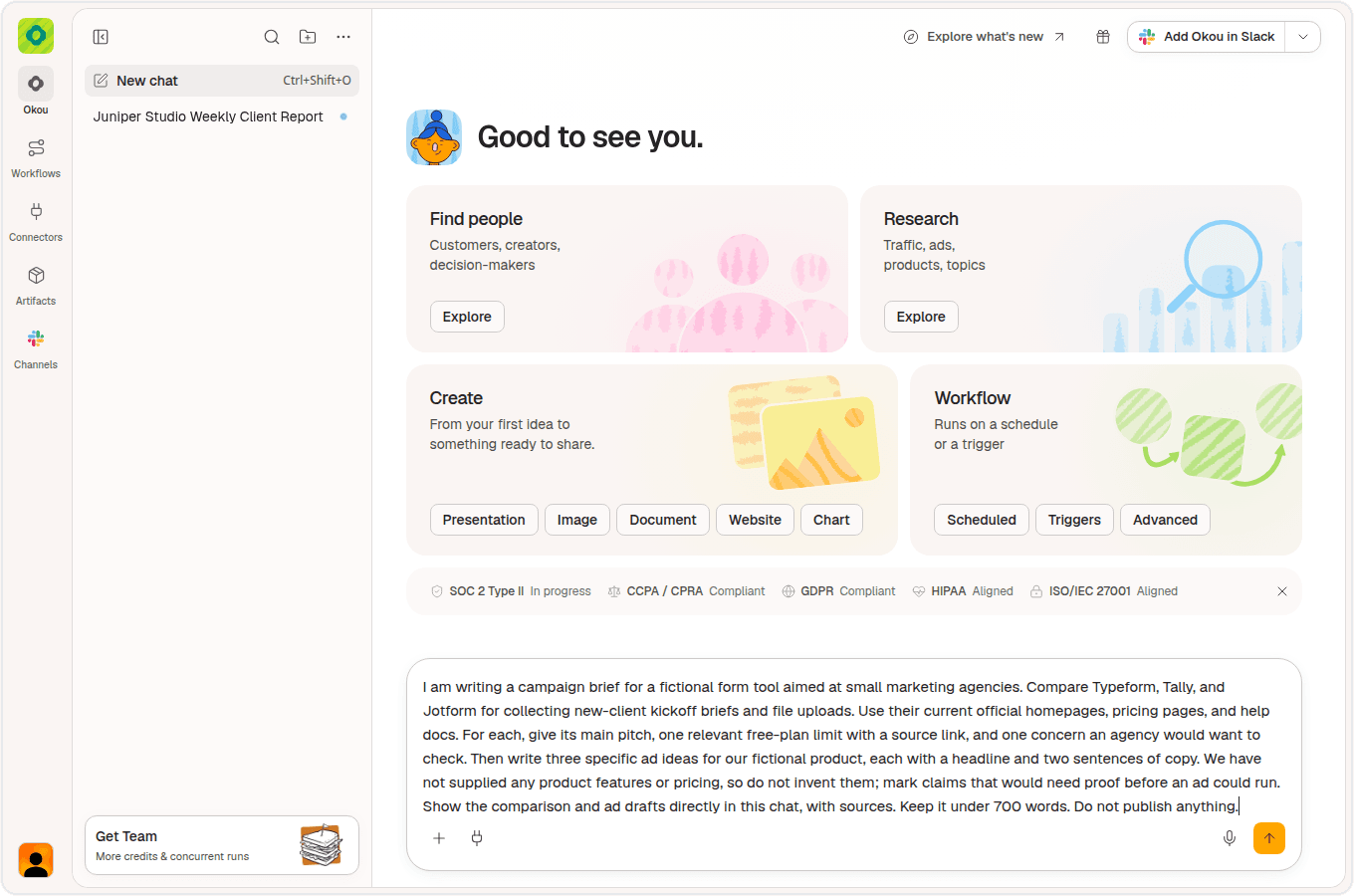
The actual request before sending. The competitors, audience, task, and missing product information are all named.
What the research gave us
The useful finding was that the three free plans restricted different things. We opened the official sources and kept these facts in the brief:
| Tool | Free-plan fact | What it means for this campaign |
|---|---|---|
| Typeform | 10 responses per month; file-upload questions require a paid plan | A free form cannot collect a client's files through an upload question. Source |
| Tally | Files up to 10 MB each on Free, subject to fair use | A 20 MB logo ZIP exceeds the per-file limit. Source |
| Jotform | Starter includes 100 monthly submissions and 100 MB of upload space | The storage allowance is shared across the account, rather than supplied separately for each client. Source |
Checked November 23, 2026. Check the linked pages again before using plan limits in an ad or buying decision.
These details suggest a much more specific conversation than “easy-to-use forms.” An agency may have enough monthly submissions but still be unable to accept one large file. Or it may accept the file and run out of total storage after a few clients.
We also corrected an assumption in the draft. It said logo packs and PDF briefs would usually fit Tally's limit. File type doesn't establish file size. We asked it to use a 20 MB logo ZIP instead, which makes the consequence of a 10 MB limit unambiguous.
How we edited the ad idea
The first response offered headlines including “The brief that lands finished” and “Files and answers, in one place.” They were plausible, but broad. Some of the accompanying copy implied the product already collected files, supported team handoffs, or saved time. We hadn't supplied evidence for any of that.
We chose the missing-files problem and asked for a concrete situation: the kickoff meeting is approaching and someone is still chasing the client's logo pack. We also removed paid prices and deletion-policy details from the short brief, and kept the source links next to the facts.
One follow-up said:
For the ad, take the files-and-answers idea and lead with the specific problem of chasing a logo pack before kickoff. Write one headline and two short sentences, not a list of angles. Since our fictional product has no confirmed features, frame this as a concept to test and avoid promising upload capacity, team access, or time saved.
After another edit to remove product promises, the draft read:
Stop chasing the logo pack before kickoff
How much of the night before kickoff goes into tracking down a client's logo pack?
Who ends up forwarding the same assets from an old email thread, again?
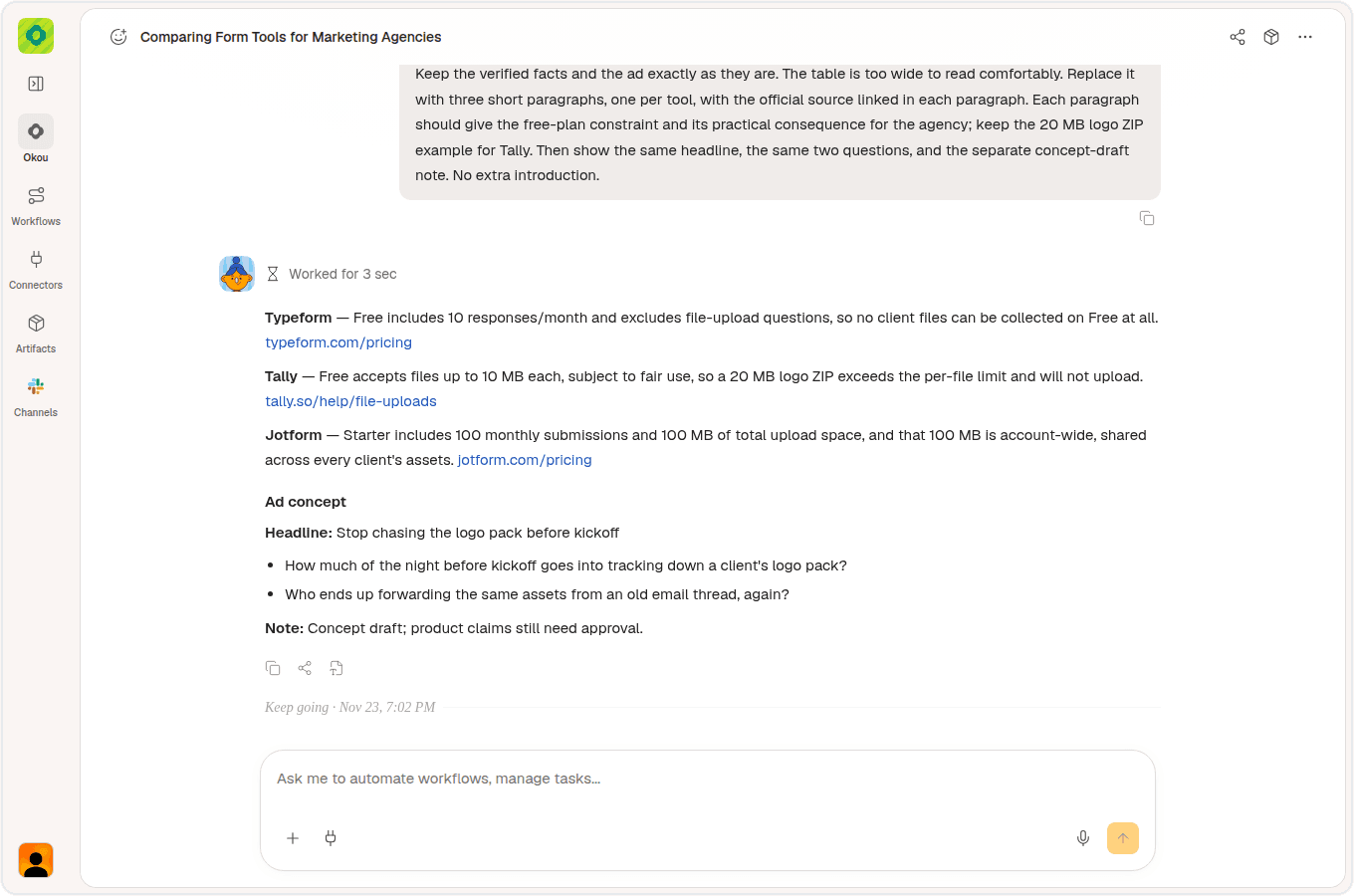
The revised brief. We shortened the wide comparison table into three readable paragraphs and kept the ad concept underneath.
This is a concept for copy review, not a finished ad. It still needs the product's supported promise, an appropriate call to action, and somewhere useful to send the reader. But it gives the team a specific problem to discuss and facts it can check. We didn't publish or test an ad, so this example says nothing about campaign performance.
Where the five AI tools fit
Okou: the research-and-revision job shown above
The example shows what we actually used Okou for: reading public sources, drafting a brief, and refining it through follow-up messages. No private account connection was needed for that task.
For an assignment involving internal material, you could add an approved audience brief or previous campaign notes through an available file or connected source. Okou's documentation describes that broader use. This run did not test access to a team's Drive or Slack, and we haven't treated it as proof of those steps.
We also ran a client-reporting example using fictional CSV data. That walkthrough shows the totals, the account-level explanation, and the errors we corrected before keeping the report.
Claude: start here when the material is already in your files
For a positioning job built around customer interviews and sales notes, I'd try Claude. Its Cowork capabilities cover working with selected files and connected tools to produce documents.
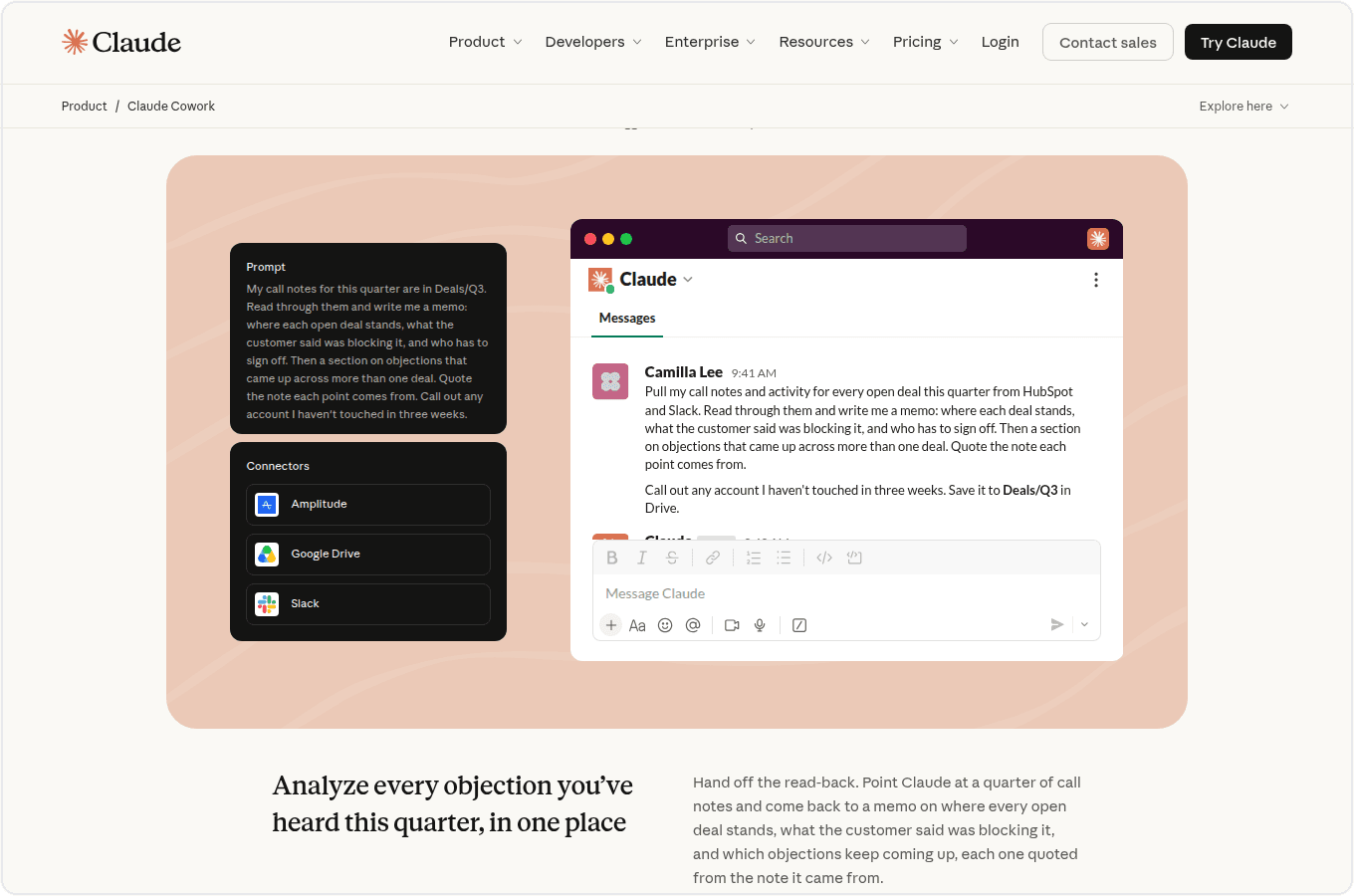
Official Cowork example: a request to review quarterly call notes and cite the source of each recurring objection. Source
A useful first assignment is: “Read these five interviews and our current positioning brief. Draft a landing-page outline for operations managers. Show the customer quote behind each problem you choose.” Then inspect whether the quotes support the copy and whether the customers still match your audience.
That is a different purchase from a shared client-reporting portal. Check Cowork's availability and supported tools in your own account before buying it for a specific file workflow.
Whatagraph: look here for recurring client reports
If the team spends the start of each month rebuilding reports, Whatagraph is worth investigating. Its client reporting agents operate inside a reporting platform: Recap builds or recreates reports, and Insight drafts commentary from connected data.
Bring a report your client already recognizes and ask it to reproduce that format. Compare the result with the source data before you consider automatic delivery.
Whatagraph's published GKV example reports that monthly reporting for 12 clients fell from 120–180 hours to about 48. Those are the vendor's case-study figures. The useful detail is that the agency's analytics director still asked for deeper analysis and corrected numbers after the draft appeared.
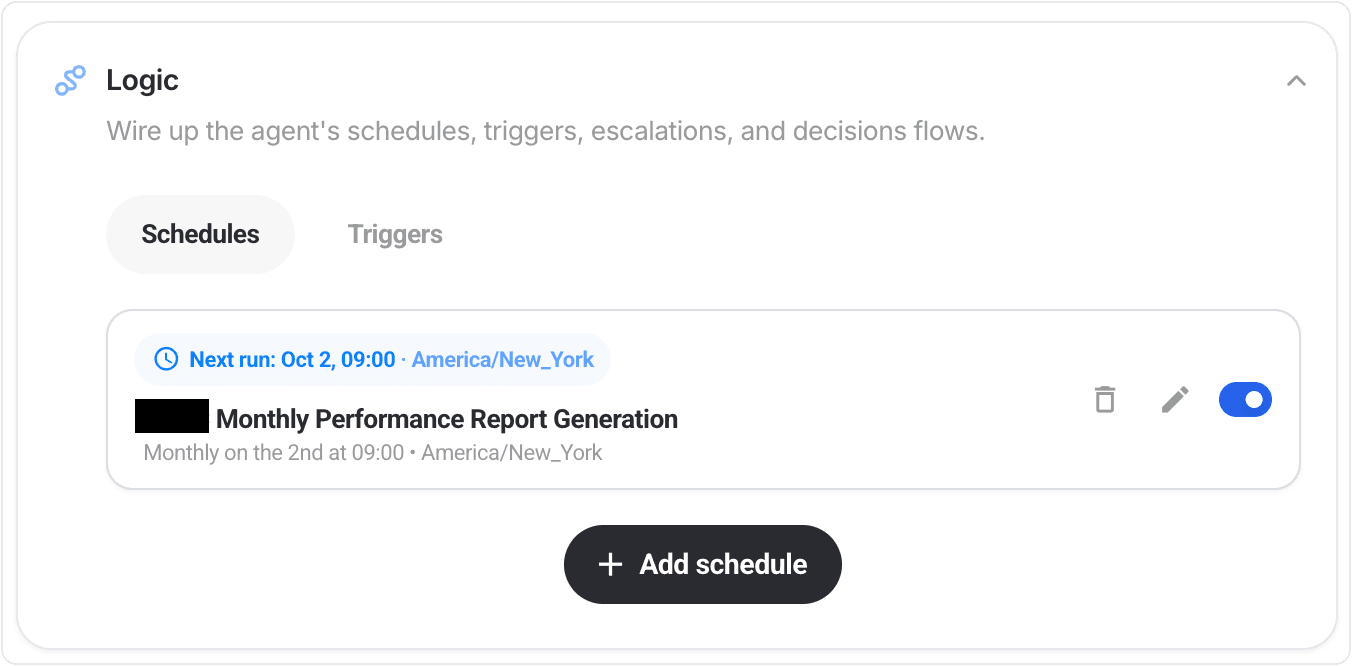
Screenshot from Whatagraph’s GKV case: monthly performance report generation is scheduled for the 2nd at 09:00. Source
Manus: try it when the research needs to become a file
Manus's marketing offering covers competitor research, browser work, spreadsheets, and presentations. I'd consider it when the next deliverable is a short deck for a positioning meeting.
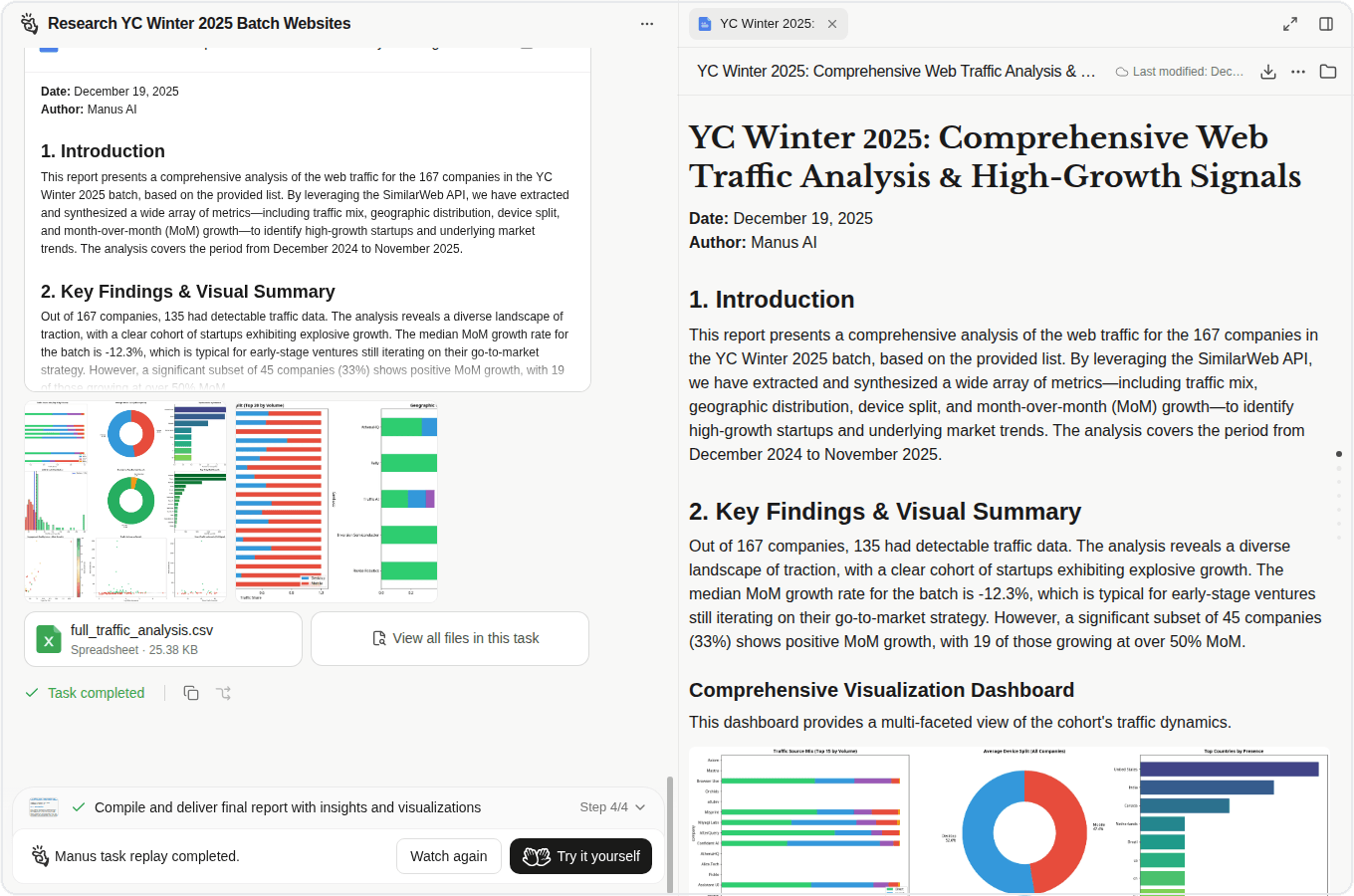
Public task replay linked from Manus’s marketing page: a website-traffic research task returns a report, charts, and a CSV. Source
Give it the competitor names and an assignment such as: “Compare these six pricing pages. Show the entry plan, billing period, and the plan that actually includes team access. Return five slides with source links.” Before the meeting, check that an annual starting price hasn't been compared with a monthly one.
We didn't run that task in Manus for this article. It's a concrete trial you could use if producing the presentation is the work you want off your desk.
Lindy: try a few real email threads
Lindy's email assistant focuses on inbox work, reply drafts, sender research, and scheduling through Gmail or Outlook.
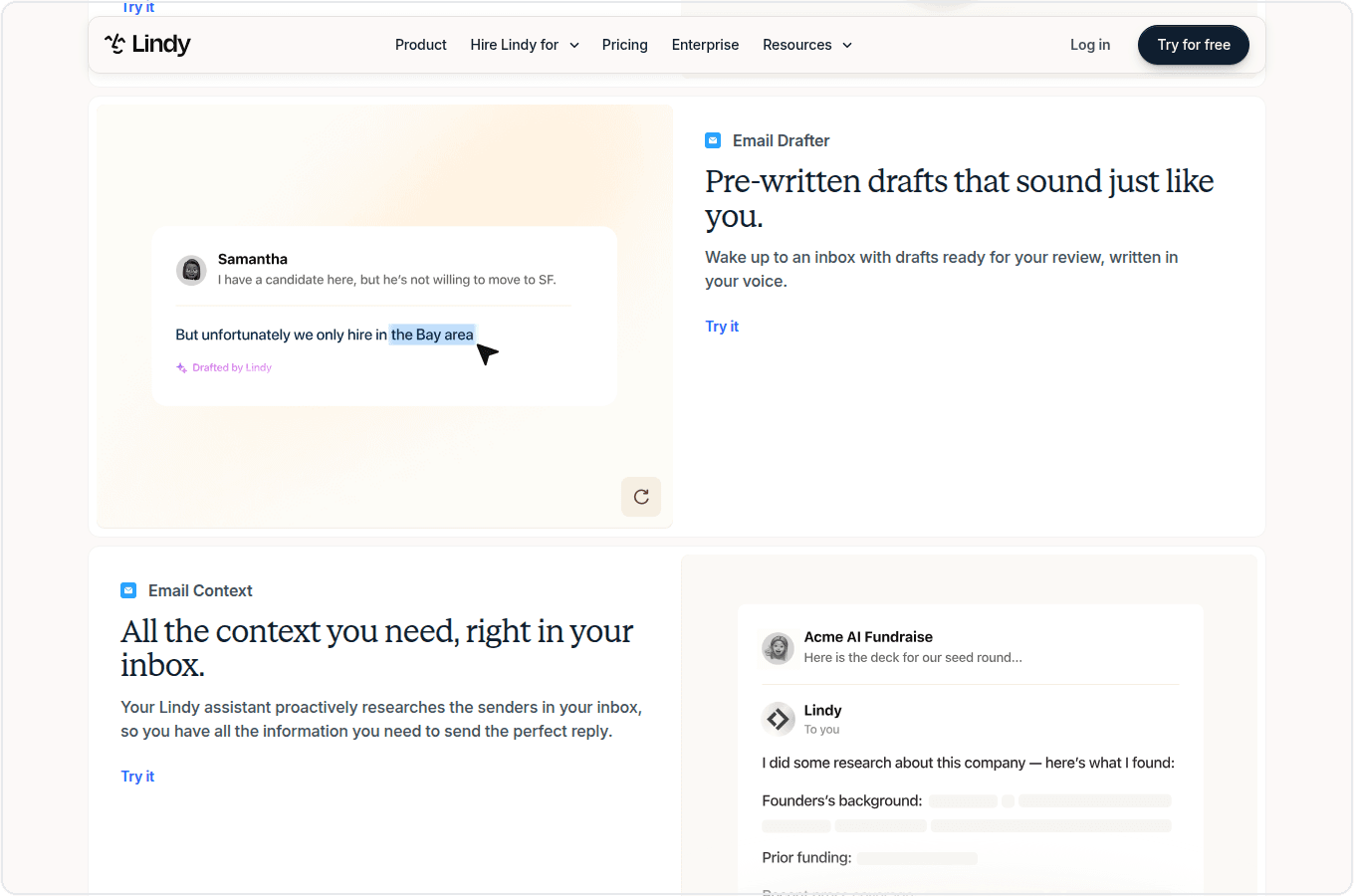
Lindy’s official email demo: editing a reply draft, with a separate example of sender background research below. Source
For a marketer managing creators or agency partners, a useful trial is an existing thread where someone is waiting for the brief or a review date. Ask for a reply draft and check whether it notices what has already been agreed. A polished reply that asks the client to confirm a date they already confirmed still needs fixing.
Choose the trial that matches your next unfinished task. In our campaign example, the work was finished only after we opened the sources, narrowed the copy, and removed claims the product couldn't yet support.
Frequently asked questions
Which AI agents can help with competitor research?
Okou and Manus are two options to try. In this article, we used Okou to compare Typeform, Tally, and Jotform using their public pricing pages and help docs, then revised an ad concept. Manus's official marketing page also describes competitor research and file creation. We ran the Okou assignment; the Manus screenshot comes from its official public example.
Can AI write marketing copy without knowing my product's features?
It can suggest a problem to write about, but it cannot establish what your product does. In our example, “chasing the logo pack before kickoff” became the ad concept. We removed promises about file capacity, team access, and time saved because we had supplied no evidence for them. Add your confirmed product details before turning the concept into an ad.
How should I test a marketing AI agent before paying?
Give it one job you already need done, such as a brief comparing three competitors. Specify the audience, sources, and format. Open the cited pages, check one important claim for each competitor, and ask for a revision. The request and screenshots above show exactly what we tried and what we changed.
Can a general AI agent replace a client-reporting platform?
Writing a report from an export is one task. Maintaining shared dashboards and recurring reports for many clients is another. Whatagraph's reporting tools are worth checking for that recurring work. Our client-reporting walkthrough shows what we tested with Okou: generating and correcting a report from sample files, without testing live account connections or scheduled delivery.
Did you test all five tools with the same assignment?
No. We ran the marketing assignment in Okou. The Claude, Whatagraph, Manus, and Lindy sections use linked official documentation, examples, and screenshots. They suggest tasks to try; they are not results from a five-product benchmark.